
Enable the Onscreen Keyboard‘s Numeric Key Pad Display

SUMMARY: To make numbers easier to enter with Windows 7‘s On-Screen Keyboard, display a virtual numeric keypad.
By default, Windows 7‘s On-Screen Keyboard utility does not display a numeric keypad, using up fewer pixels on the screen. For those who need to enter numbers using this tool, however, it can be annoying to have to move so far to enter numbers such as “10”, “28”, and “30”, for example.
The following quick tip enables a virtual numeric keypad which may make entering numbers easier for those who need to use this utility:
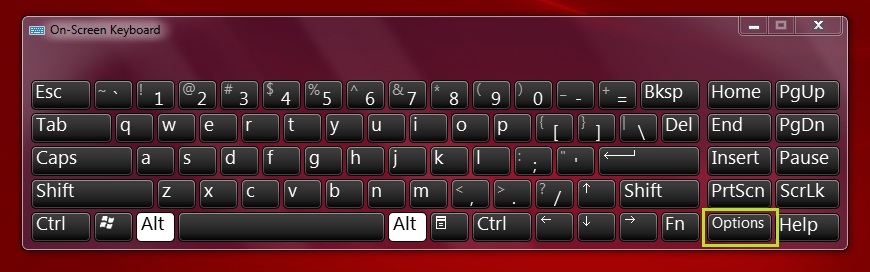
1. On the “On-Screen Keyboard“, click the “Options” button on the right side (underneath the “PrtScn” button).
2. The “Options” dialog box appears. Check “Turn on numeric key pad“.

3. Click “OK” to close the dialog box.
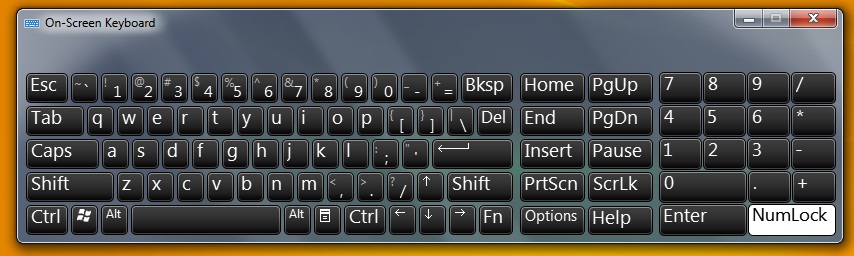
4. You may need to press the “NumLock” button to switch the virtual keypad from the cursor keys to numbers.
Leave a Reply