
Remove Recycle bin in Windows 7

Recycle bin from Windows 7 Desktop can easily be removed.
How to Remove Recycle bin?
- Click on Start and select Control panel.
- Navigate to following address: Control Panel > All control Panel Items > Personalization
- On left side pane Click on Change Desktop Icons
- This would popup Desktop Icon Settings
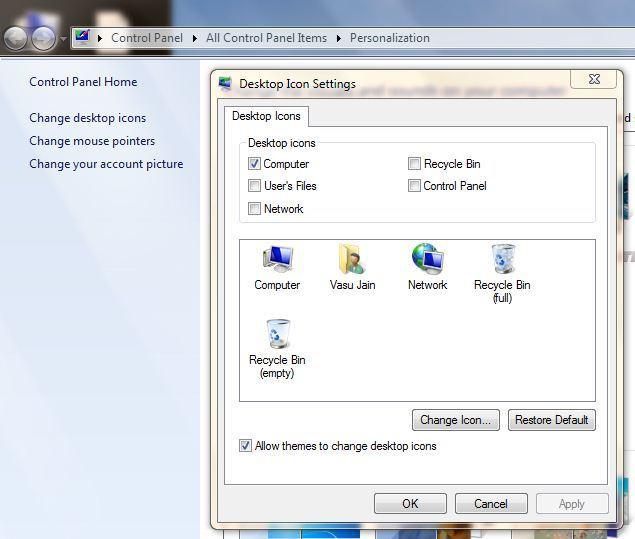
- Uncheck Recycle Bin
- Press OK to Remove Recycle Bin with immediate effect.
Leave a Reply